
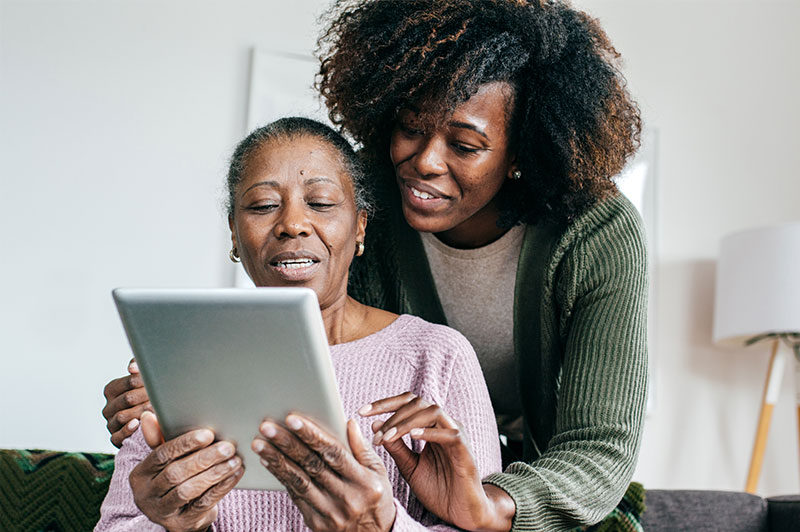
Smartphones and tablets have become essential tools for seniors, helping them stay connected with family, access information, manage health, and enjoy entertainment. However, with the convenience of these devices comes the responsibility of protecting personal information. Privacy concerns can be intimidating, especially for older adults who may not be familiar with digital security practices. Fortunately, with the right guidance, seniors can confidently use their devices while safeguarding sensitive data. In this article, we explore practical strategies seniors can use to protect their privacy on smartphones and tablets.
Understanding Privacy Risks
Before implementing privacy measures, it’s important to understand the risks associated with smartphones and tablets. These devices store personal information such as contacts, photos, messages, financial details, and health data. Without proper security, this information can be exposed through phishing attacks, malware, unsecured apps, or public Wi-Fi networks. Understanding that risks exist helps seniors stay alert and make informed decisions about the apps they use, the websites they visit, and how they share information online.
Using Strong Passwords and Authentication
One of the simplest yet most effective ways to protect privacy is using strong, unique passwords for devices and apps. Seniors should avoid easily guessed passwords, such as birthdays or simple number sequences. Instead, creating complex combinations of letters, numbers, and symbols strengthens security. Many smartphones and tablets also offer biometric authentication, like fingerprint scanning or facial recognition. These features not only provide convenience but also add an extra layer of protection against unauthorized access. Enabling multi-factor authentication wherever possible further enhances security.
Adjusting Privacy Settings
Both smartphones and tablets have privacy settings that allow users to control how personal data is shared. Seniors should regularly review these settings, limiting access to location, contacts, and photos to trusted apps only. Many devices allow users to manage app permissions, ensuring that apps cannot access more information than necessary. Adjusting these settings helps prevent unnecessary data collection and reduces the risk of sensitive information being exposed. Familiarity with privacy settings empowers seniors to take control of their digital footprint confidently.
Being Cautious with Apps
Installing apps from reputable sources is critical for maintaining privacy. Seniors should avoid downloading apps from unknown websites or third-party stores, as these may contain malware or spyware. Reading reviews, checking ratings, and reviewing the permissions requested by an app before installation can prevent unwanted access to personal data. Limiting the number of apps to essential tools also reduces exposure to potential risks. Being selective and cautious with apps ensures that seniors can enjoy digital services safely.
Avoiding Public Wi-Fi Risks
Public Wi-Fi networks, such as those in coffee shops, airports, or shopping centers, can be convenient but are often unsecured. Using public Wi-Fi without proper precautions can expose personal information to hackers. Seniors should avoid accessing sensitive accounts or conducting financial transactions on public networks. Using a virtual private network (VPN) adds encryption to the connection, making it safer to browse the internet away from home. Being mindful of Wi-Fi security helps seniors maintain privacy even while staying connected in public places.
Recognizing and Avoiding Scams
Seniors are often targeted by phishing emails, text messages, and fraudulent calls. Scammers may attempt to trick users into sharing passwords, personal information, or financial details. It’s important for seniors to verify the source of any message before clicking links or responding. If something seems suspicious, it’s better to double-check with a trusted family member or contact the organization directly. Learning to recognize common scam tactics, such as urgent requests or unrealistic offers, protects seniors from falling victim to fraud and ensures their private information remains secure.
Enabling Device Updates and Security Features
Keeping smartphones and tablets updated is crucial for privacy protection. Software updates often include security patches that fix vulnerabilities. Seniors should enable automatic updates for their devices and installed apps to ensure they are always protected. Many devices also have built-in security features, such as malware scanners, secure folders, and encrypted storage. Enabling these features strengthens overall privacy and reduces the likelihood of unauthorized access. Regular maintenance of devices ensures that privacy measures remain effective over time.
Limiting Social Media Exposure
Social media is a wonderful way for seniors to stay connected, but it can also expose personal information. Seniors should review privacy settings on platforms to control who can see posts, photos, and personal details. Avoiding sharing sensitive information, such as home addresses or financial data, is essential. Teaching seniors to think before posting and to use strong passwords for social media accounts helps maintain privacy. Responsible social media use allows seniors to enjoy online interactions while minimizing risks to personal information.
Frequently Asked Questions (FAQs)
Q1: What is the most important step for seniors to protect privacy?
Using strong, unique passwords and enabling biometric authentication is one of the most effective ways to secure devices and apps.
Q2: Are free apps safe to use?
Not all free apps are safe. Seniors should download apps only from trusted sources, review permissions carefully, and avoid apps that request unnecessary access to personal information.
Q3: Can privacy settings really make a difference?
Yes. Adjusting privacy settings helps control what data apps and services can access, reducing the risk of personal information being shared without consent.
Q4: How can seniors recognize online scams?
Common signs include urgent requests, unfamiliar links, too-good-to-be-true offers, and requests for personal or financial information. When in doubt, verify the source before taking action.
Q5: Should seniors use VPNs on their devices?
Using a VPN on public Wi-Fi networks encrypts the connection, making it safer to browse the internet and reducing the risk of hackers accessing personal data.
Conclusion
Protecting privacy on smartphones and tablets is essential for seniors who want to enjoy the benefits of technology safely. By understanding potential risks, using strong passwords, adjusting privacy settings, being cautious with apps, avoiding public Wi-Fi risks, recognizing scams, enabling updates, and limiting social media exposure, seniors can safeguard their personal information effectively. With these strategies in place, older adults can confidently use their devices to stay connected, informed, and entertained while maintaining their independence. Embracing digital security ensures that technology remains a helpful and empowering tool in everyday life.